
support From Wired to Wireless From Edge to Core
FAQ
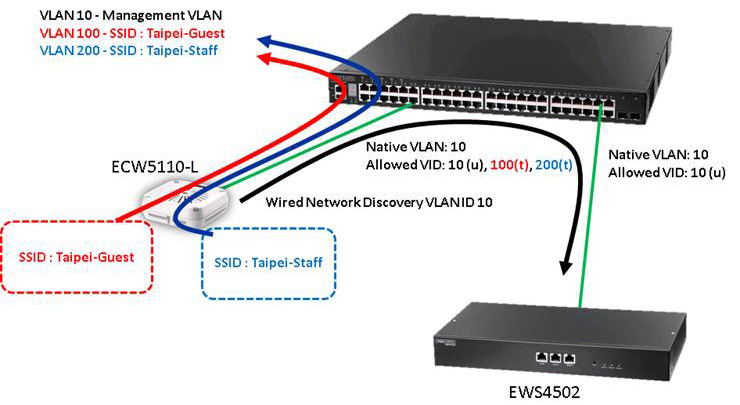
Configuration:
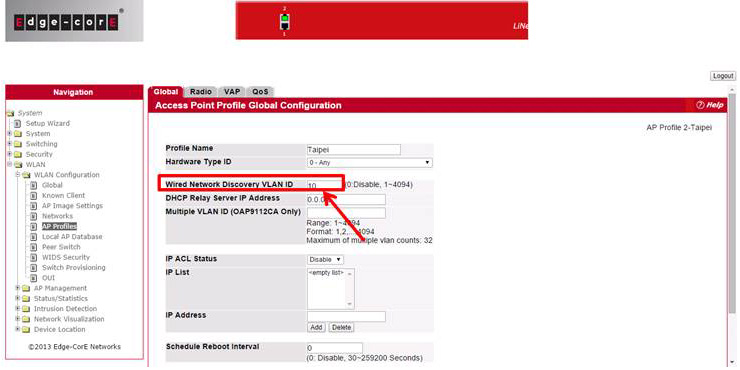
1. Set the Wired Network Discovery VLAN ID to 10. Wired Network Discovery VLAN ID is the management VLAN that AP will using to communicate with AC controller after success managed by AC controller.
(When the value not set to zero, means enabled VLAN classification at ALL AP that using this profile)
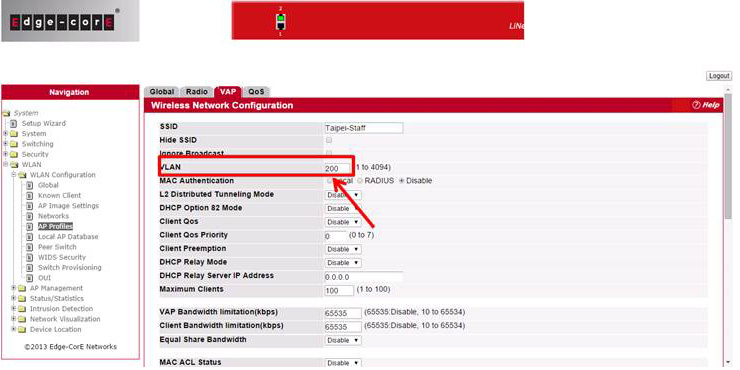
2. Modify the VLAN at corresponding VAP that want to enabled (default VLAN is 1)
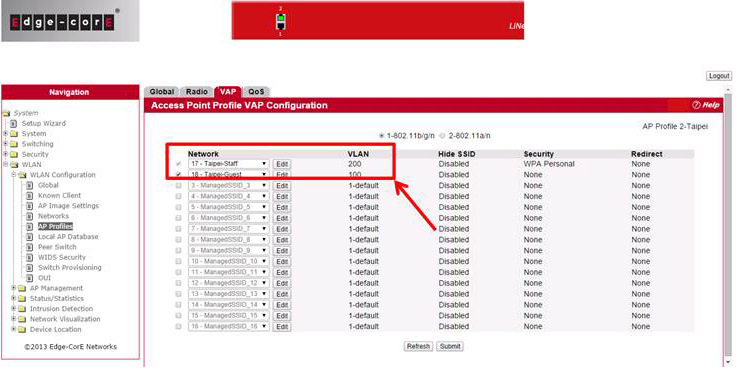
3. Then apply the profile to take effect the configuration. (Remember need configure corresponding VLAN at the switch first before apply the profile.)
Can not find what you are looking for?
Try our Product selector tool (模擬文案)
